修bug
之前给分类卡片做放大动画效果的时候,发现左边和上边会超出框外导致水平裁切(好难描述的情况已尽力),于是当时问了AI怎么解决,最后写了overflow: visible,动画效果是正常了但是导致手机网页出现一些无法滚动显示的问题
改不好于是把动画效果去掉了把这一行删了……回归质朴
此外调整了一下电脑网页图片基础大小,调到了满意的尺寸
之前做了相册,但是又有被爬走喂AI的忧虑,于是前几天把相册页面下线了……
背景图
经过三个月我终于想起来要把这图画完了!主角是我OC,其他人临时捏的
防止以后会换,把这一刻保存一下吧
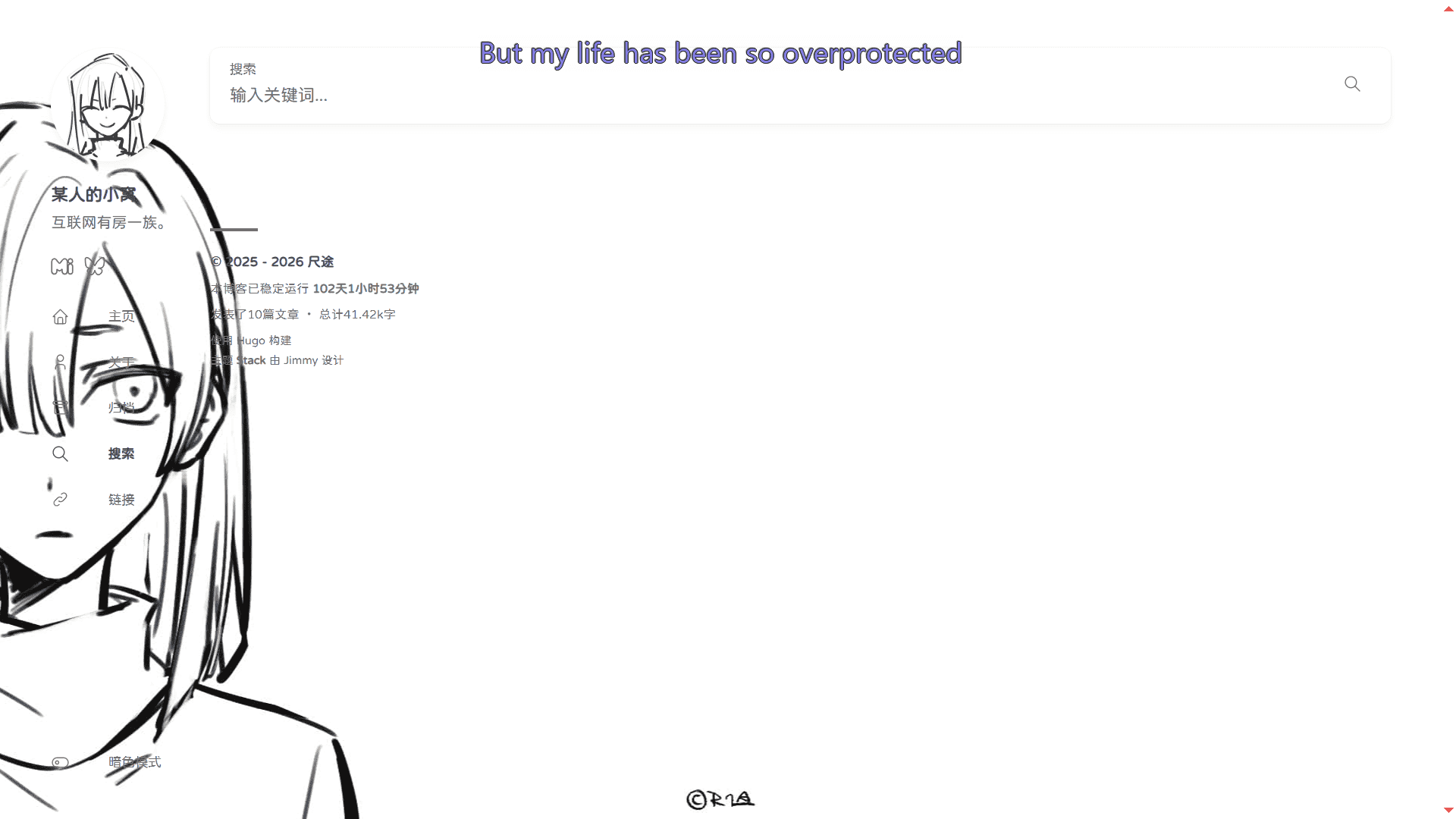
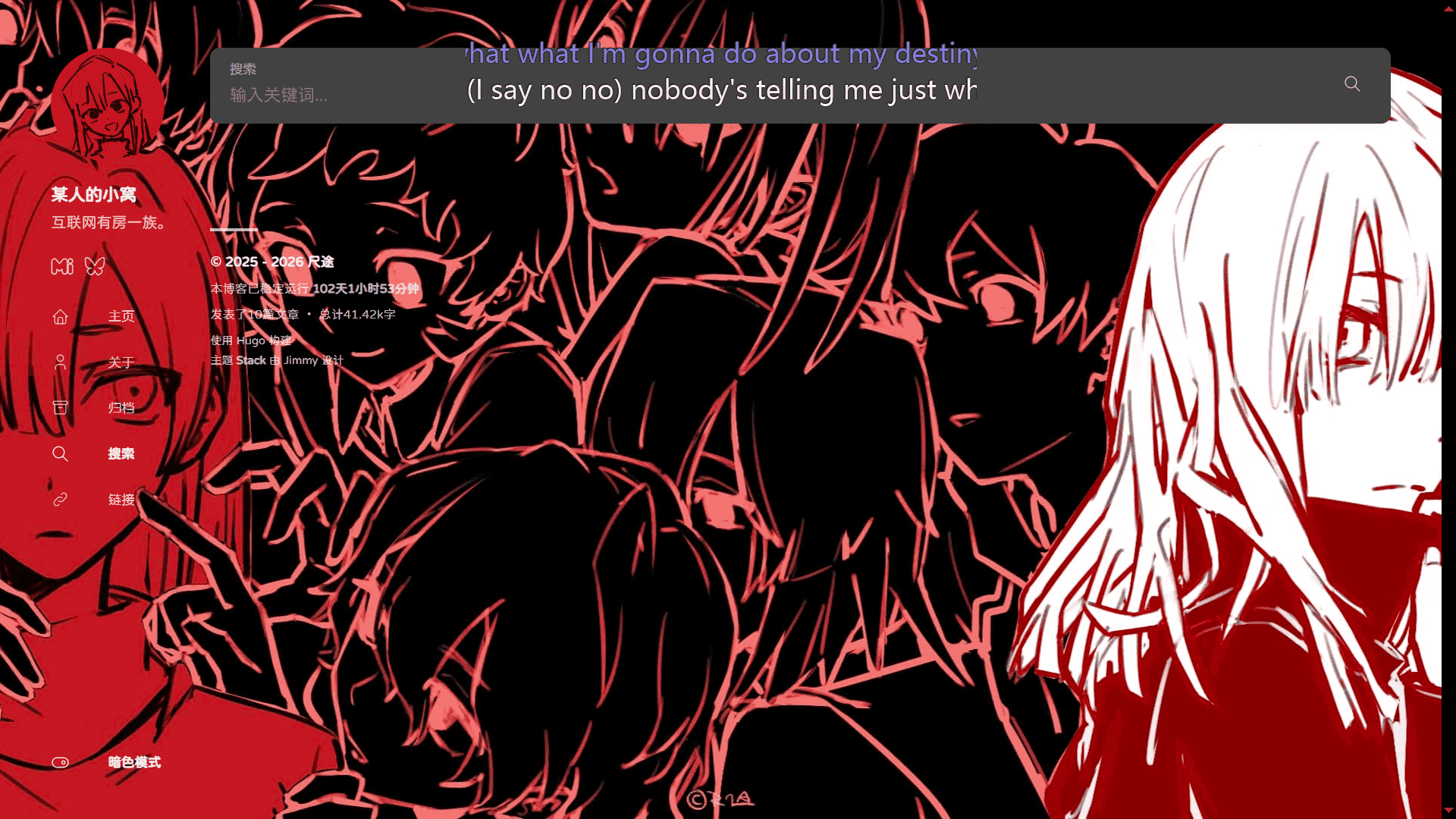
是的,头像还没画完,有空一定……
归档页加入标签云
因为发现首页的标签云组件会有显示不全的问题(主要是我不喜欢右侧栏会滑动,所以限制了tag显示数),于是把这个功能加在了归档页里
如下代码加在</header>下面即可:
<div class="tag-cloud-section widget tagCloud">
    <h2 class="section-title widget-header">TAGS</h2>

    <div class="widget-content">
        <div class="tagCloud-tags">
            {{ range .Site.Taxonomies.tags }}
            <a href="{{ .Page.RelPermalink }}">
                {{ .Page.Title }}
            </a>
            {{ end }}
        </div>
    </div>
</div>
手机网页文章目录按钮
DeepSeek帮写的,更改相应代码即可
{{ define "body-class" }}
    article-page
    {{/*
        Enable the right sidebar if
            - Widget different from 'TOC' is enabled
            - TOC is enabled and not empty
    */}}
    {{- $HasWidgetNotTOC := false -}}
    {{- $TOCWidgetEnabled := false -}}
    {{- range .Site.Params.widgets.page -}}
        {{- if ne .type "toc" -}}
            {{ $HasWidgetNotTOC = true -}}
        {{- else -}}
            {{ $TOCWidgetEnabled = true -}}
        {{- end -}}
    {{- end -}}

    {{- $TOCManuallyDisabled := eq .Params.toc false -}}
    {{- $TOCEnabled := and (not $TOCManuallyDisabled) $TOCWidgetEnabled -}}
    {{- $hasTOC := ge (len .TableOfContents) 100 -}}
    {{- .Scratch.Set "TOCEnabled" (and $TOCEnabled $hasTOC) -}}

    {{- .Scratch.Set "hasWidget" (or $HasWidgetNotTOC (and $TOCEnabled $hasTOC)) -}}

    {{/* 添加一个类标识文章页面有TOC */}}
    {{ if (and $TOCEnabled $hasTOC) }}has-toc{{ end }}
{{ end }}

{{ define "main" }}
    {{ partial "article/article.html" . }}

    {{ if .Params.links }}
        {{ partial "article/components/links" . }}
    {{ end }}

    {{ partial "article/components/related-content" . }}

    {{ if not (eq .Params.comments false) }}
        {{ partial "comments/include" . }}
    {{ end }}

    {{ partialCached "footer/footer" . }}

    {{ partialCached "article/components/photoswipe" . }}

    {{/* 添加手机端TOC按钮 */}}
    {{ if .Scratch.Get "TOCEnabled" }}
    <button class="toc-toggle hamburger hamburger--spin" type="button" id="toggle-toc" aria-label="Toggle table of contents">
        <span class="hamburger-box">
            <span class="hamburger-inner"></span>
        </span>
    </button>
    {{ end }}
{{ end }}

{{ define "right-sidebar" }}
    {{ if .Scratch.Get "hasWidget" }}{{ partial "sidebar/right.html" (dict "Context" . "Scope" "page") }}{{ end}}
{{ end }}
<!-- 手机网页汉堡包目录 -->
<script>
document.addEventListener('DOMContentLoaded', function () {
const tocToggle = document.getElementById('toggle-toc');
if (tocToggle) {
const rightSidebar = document.querySelector('.sidebar.right-sidebar');
// 1. 滚动显示/隐藏按钮
function updateButtonVisibility() {
const scrollTop = window.pageYOffset || document.documentElement.scrollTop;
const showThreshold = 200;
if (scrollTop > showThreshold) {
tocToggle.classList.add('visible');
} else {
// 如果侧边栏是打开的,不要隐藏按钮
if (!rightSidebar || !rightSidebar.classList.contains('show')) {
tocToggle.classList.remove('visible');
}
}
}
// 防抖函数
function debounce(func, wait) {
let timeout;
return function () {
const context = this;
const args = arguments;
clearTimeout(timeout);
timeout = setTimeout(() => func.apply(context, args), wait);
};
}
// 监听滚动
window.addEventListener('scroll', debounce(updateButtonVisibility, 100));
// 初始检查
setTimeout(updateButtonVisibility, 500);
// 2. 侧边栏控制逻辑
if (rightSidebar) {
// 创建遮罩层
const mask = document.createElement('div');
mask.className = 'toc-mask';
document.body.appendChild(mask);
// 切换显示/隐藏
tocToggle.addEventListener('click', function () {
this.classList.toggle('is-active');
rightSidebar.classList.toggle('show');
mask.classList.toggle('show');
document.body.classList.toggle('no-scroll');
// 点击时确保按钮可见
this.classList.add('visible');
});
// 点击遮罩层关闭
mask.addEventListener('click', function () {
tocToggle.classList.remove('is-active');
rightSidebar.classList.remove('show');
this.classList.remove('show');
document.body.classList.remove('no-scroll');
});
// ESC键关闭
document.addEventListener('keydown', function (e) {
if (e.key === 'Escape' && rightSidebar.classList.contains('show')) {
tocToggle.classList.remove('is-active');
rightSidebar.classList.remove('show');
mask.classList.remove('show');
document.body.classList.remove('no-scroll');
}
});
}
}
});
</script>/* 手机端TOC按钮 - 右下角 */
.toc-toggle {
position: fixed;
right: 20px;
bottom: 20px;
z-index: 1001;
background: var(--card-background);
border-radius: 50%;
width: 50px;
height: 50px;
display: none;
align-items: center;
justify-content: center;
box-shadow: var(--shadow-l2);
border: 1px solid var(--border-color);
cursor: pointer;
opacity: 0;
transform: translateY(20px);
transition: opacity 0.3s ease, transform 0.3s ease;
}
/* 显示状态 */
.toc-toggle.visible {
opacity: 1;
transform: translateY(0);
}
/* 手机端:只在有TOC的文章页面显示按钮和侧边栏 */
@media (max-width: 768px) {
body.has-toc .toc-toggle {
display: flex;
}
/* 右侧边栏改为抽屉式 */
body.has-toc .sidebar.right-sidebar {
display: block !important;
position: fixed;
top: 0;
right: -320px;
width: 300px;
height: 100vh;
z-index: 1000;
transition: right 0.3s ease;
background: var(--card-background);
box-shadow: var(--shadow-l2);
overflow-y: auto;
padding: 20px;
}
body.has-toc .sidebar.right-sidebar.show {
right: 0;
}
/* 遮罩层 */
.toc-mask {
position: fixed;
top: 0;
left: 0;
right: 0;
bottom: 0;
background: rgba(0, 0, 0, 0.5);
z-index: 999;
opacity: 0;
visibility: hidden;
transition: all 0.3s ease;
}
.toc-mask.show {
opacity: 1;
visibility: visible;
}
}目前来说效果还是比较简陋和粗暴,还会受网页加载速度影响,但我实在是不会改了,如果有更好的代码可以让我抄请务必告诉我……
NeoDB短代码
我的Hugo版本是v0.150.0,尝试抄了很多Neodb短代码都有网络连接丢失等问题,于是拷打DeepSeek生成了一个……!
也放一下作业,希望对遇到同样困难的人有帮助
{{ $dbUrl := .Get 0 }}
{{ $customContent := trim .Inner " \n\r" }}

<!-- 解析 item_uuid -->
{{ $itemUuid := "" }}
{{ if (findRE `.*neodb\.social\/.*\/(.*)` $dbUrl) }}
{{ $itemUuid = replaceRE `.*neodb\.social\/.*\/(.*)` "$1" $dbUrl }}
{{ end }}
{{ $uniqueId := (print "neodb-card-" $itemUuid) }}
{{ $apiUrl := "" }}

{{ if (findRE `^.*neodb\.social\/.*` $dbUrl) }}
{{ $dbPath := replaceRE `.*neodb.social\/(.*\/.*)` "$1" $dbUrl }}
{{ $apiUrl = print "https://neodb.social/api/" $dbPath }}
{{ else }}
{{ $apiUrl = print "https://neodb.social/api/catalog/fetch?url=" $dbUrl }}
{{ end }}

<div class="db-card" id="{{ $uniqueId }}">
    <div class="db-card-subject">
        <div class="db-card-post">
            <img src="" alt="加载中..." id="{{ $uniqueId }}-img" style="max-width: 100%; height: auto;">
        </div>
        <div class="db-card-content">
            <div class="db-card-title">
                <a href="{{ $dbUrl }}" class="cute" target="_blank" rel="noreferrer" id="{{ $uniqueId }}-title">
                    加载中...
                </a>
            </div>
            <div class="db-card-abstract" id="{{ $uniqueId }}-content">
                {{ if $customContent }}
                {{ $customContent | safeHTML }}
                {{ else }}
                <p>正在加载数据...</p>
                {{ end }}
            </div>
        </div>
        <div class="db-card-cate" id="{{ $uniqueId }}-category">...</div>
    </div>
</div>

<script>
    document.addEventListener('DOMContentLoaded', function () {
        const cardId = '{{ $uniqueId }}';
        const apiUrl = '{{ $apiUrl }}';

        if (!apiUrl) return;

        // 前端获取数据
        fetch(apiUrl)
            .then(response => {
                if (!response.ok) {
                    throw new Error(`HTTP error! status: ${response.status}`);
                }
                return response.json();
            })
            .then(data => {
                // 更新标题
                const titleEl = document.getElementById(cardId + '-title');
                if (titleEl && data.title) {
                    titleEl.textContent = data.title;
                }

                // 更新图片
                const imgEl = document.getElementById(cardId + '-img');
                if (imgEl && data.cover_image_url) {
                    imgEl.src = data.cover_image_url;
                    imgEl.alt = data.title || '封面图片';
                }

                // 更新内容(如果没有自定义内容)
                const contentEl = document.getElementById(cardId + '-content');
                const customContent = '{{ $customContent }}';
                if (contentEl && !customContent.trim() && data.brief) {
                    contentEl.innerHTML = data.brief;
                }

                // 更新分类
                const cateEl = document.getElementById(cardId + '-category');
                if (cateEl && data.category) {
                    cateEl.textContent = data.category;
                }
            })
            .catch(error => {
                console.error('Failed to fetch NeoDB data:', error);
                // 可以显示错误信息或保持默认状态
            });
    });
</script>上述代码在<img src=""这一行中双引号内可以加上想要用作加载时的占位图片的链接
(外链用网址即可,
(也可以使用本地图片,将图片放在项目文件夹\stastic路径下,写上该文件夹内的路径即可,如src="/image/neodb.jpg")
{{ <neodb "https://neodb.social/tv/season/6tPYnexDe3m2y8m4U5YqiW"> }}
测试
{{ </neodb> }}
效果:

2026.02.07更新
又改动了一点修了一点bug,此后没有大改都记录在关于页面里好了